> For the complete documentation index, see [llms.txt](https://yubit.gitbook.io/yubit/llms.txt). Markdown versions of documentation pages are available by appending `.md` to page URLs; this page is available as [Markdown](https://yubit.gitbook.io/yubit/cn/yin-dao/er-ci-yan-zheng/she-zhi-gu-ge-yan-zheng-qi-jiao-cheng-web-duan.md).
# 设置谷歌验证器教程\[WEB端]
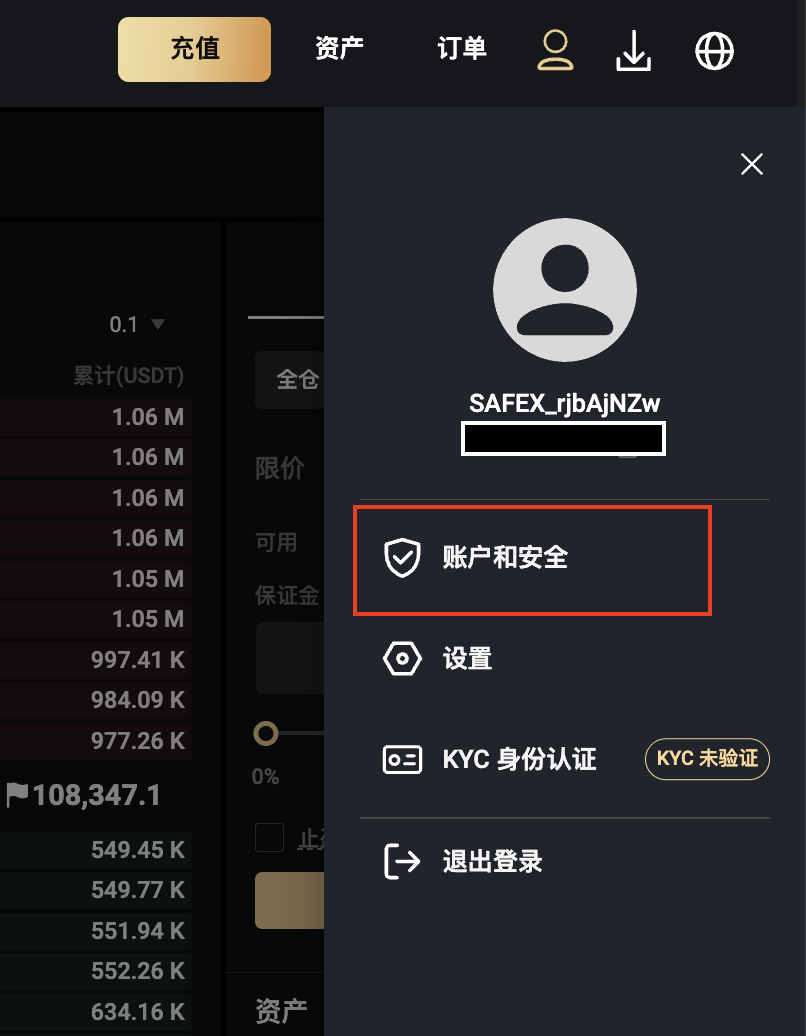
**一、打开**YUBIT **官网,点击首页右上角个人中心,进入【账户和安全】**
**二、点击【身份验证器】**
**三、获取邮箱验证码**
**四、下载谷歌验证器APP**
* IOS用户请前往App Store搜索【Autherticator】进行下载
* 安卓用户登录应用商店或使用手机浏览器搜索【谷歌验证器】下载
**五、安装完成后打开谷歌验证器APP,扫描下方二维码或手动输入密钥,得到6位数验证码**
注意事项:请务必妥善保管谷歌验证密钥,以免更换或丢失手机导致无法换绑。未保存密钥的情况下删除谷歌验证器内已绑定的账号将导致账户无法登录,请谨慎操作。
**六、输入验证码, 点击【确认】绑定成功**
[ ](https://www.safexapp.com/safex/er-ci-yan-zheng/she-zhi-gu-ge-yan-zheng-qi-jiao-cheng-app-duan)